




Software Request
Available for SharePoint Online
Manage software needs with ease
SharePoint OnlineWith Software Request, you can order new software products, install existing software or update it to a new version. The solution is based on a SharePoint form with a smart search field, dynamic inputs and an integrated approval process.
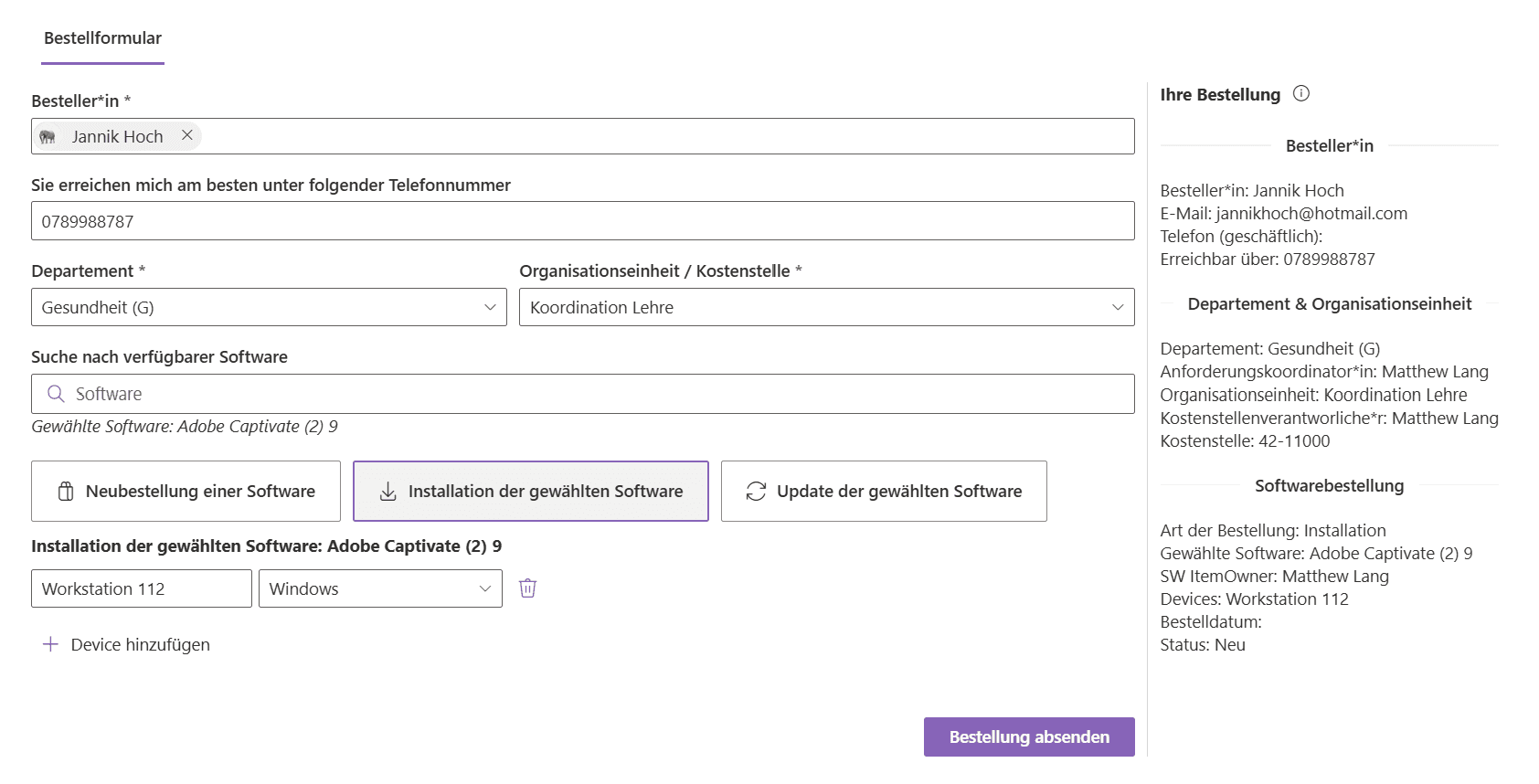
- Three request types:
- New order, installation or update of existing software – selectable directly in the form.
- Software search field:
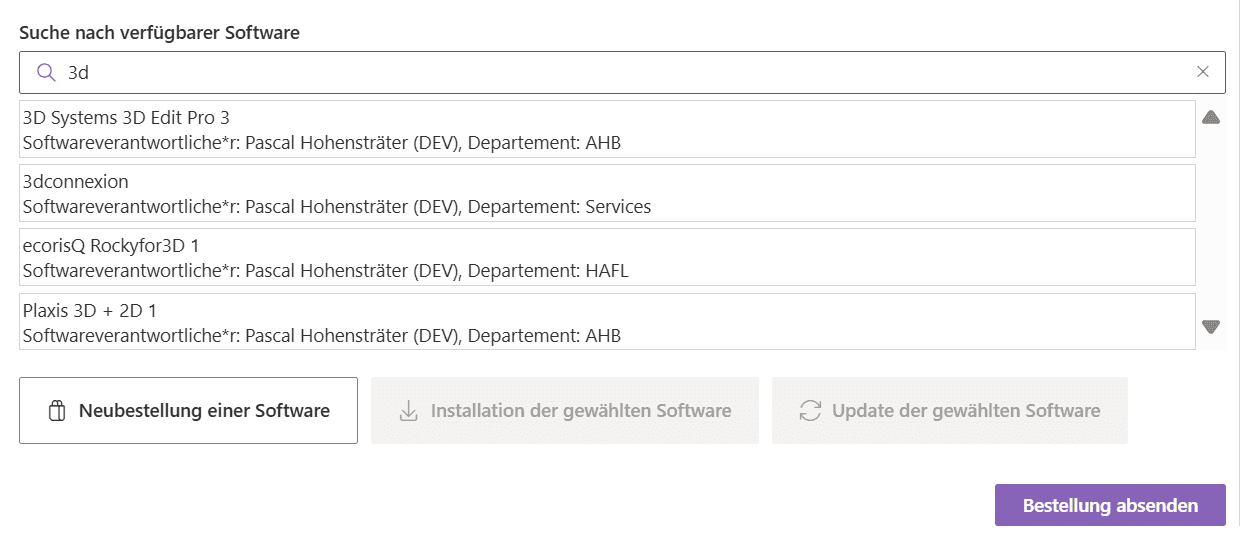
- Available software products appear automatically with title, responsible persons and department.
- Approval process:
- Request coordination, cost centre and item owner are involved automatically.
- Device selection for installation:
- For installations, the target device can be specified directly, including the choice of operating system.
- Validation and mandatory fields:
- Missing information is highlighted – including checks for a valid number of licences and phone number.
- History log:
- Every request includes a history section with comments for transparent communication.
Find and select software
- Smart search:
- Enter a search term to instantly see and select available software, including the responsible persons.
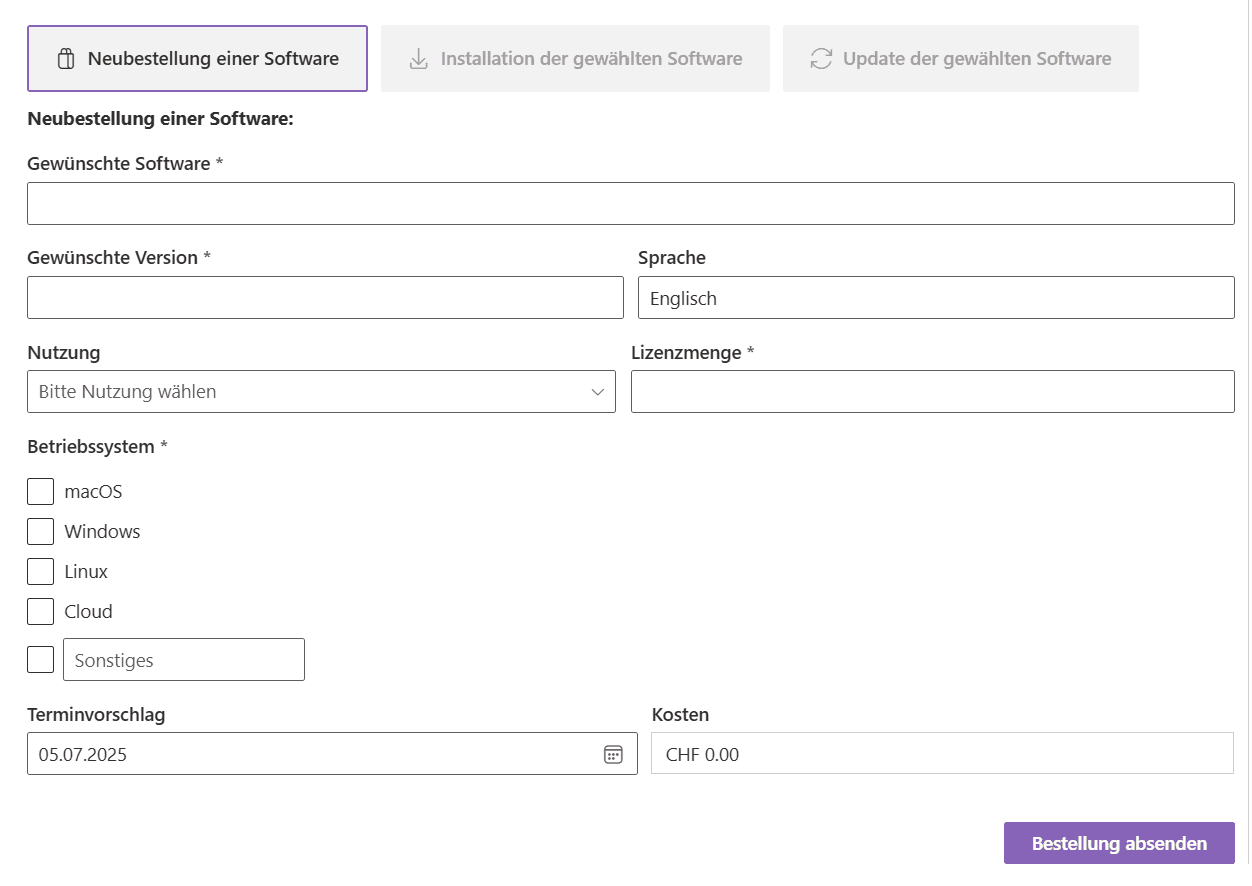
The form adapts
- Dynamic inputs:
- Only relevant fields appear – e.g. “Devices” only for installations.
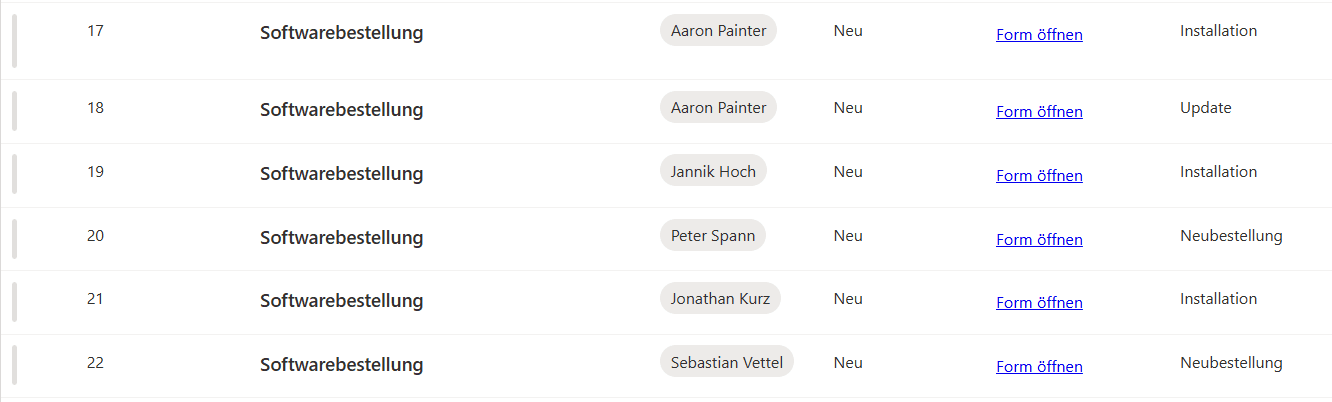
Track requests
- History and status:
- Every request contains a commented history with entries on its processing status.
- Transparent information:
- Details on the requester, cost centre, software, version, operating system and requested date.
Contact us
We look forward to learning about your requirements and presenting our solutions to you. Feel free to contact us to arrange a meeting.
- Address
- Spittel 5
3953 Leuk-Stadt - Phone
- +41 76 393 79 00
- info@softforge.ch